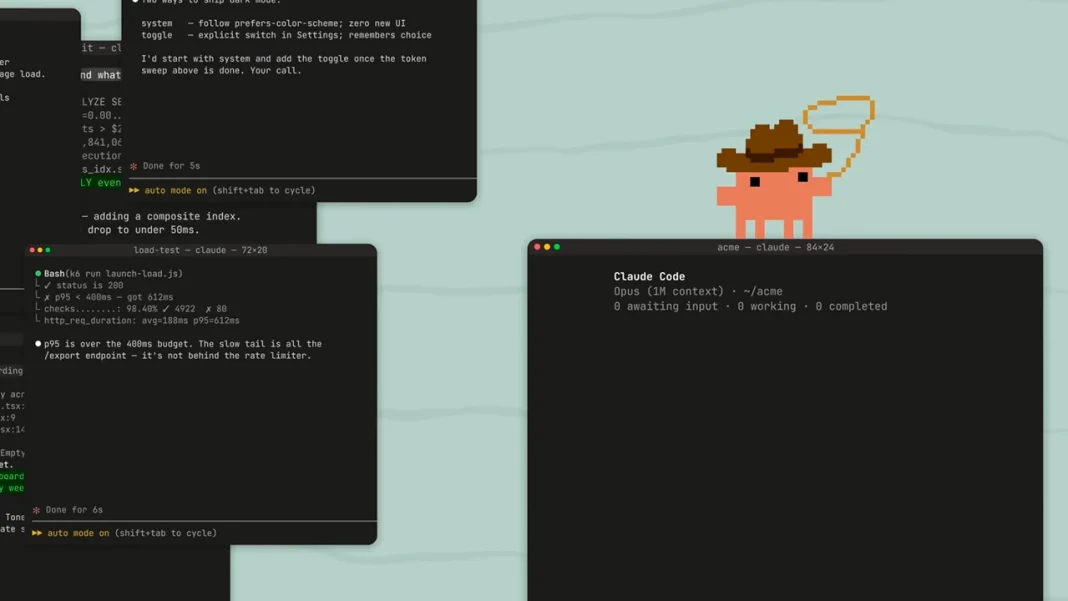

Anthropic announced a new feature, Agent View, for managing Claude Code, which simplifies working with multiple AI agent sessions. This significantly reduces the need to switch between different tabs or use third-party tools to control tasks.
The Agent View feature allows developers to run the agent in the background, intervening only when confirmations or data inputs are required. The new mode is opened by an arrow to the left in an active session or via a terminal command. Users can track agent statuses, view recent messages, and make decisions without fully switching between sessions. Additionally, a command is available to enter sessions into the background or to start new tasks.
At this moment, Agent View is available in Research Preview format for users of Pro, Max, Team, Enterprise, and Claude API plans, but retains standard usage limits. In early May of this year, Anthropic announced a partnership with SpaceX, which allowed for the expansion of the Colossus 1 data center’s capabilities and doubled the usage limits of Claude Code for its clients.
Experts note that such a tool can significantly enhance the efficiency of managing agent sessions, offering a centralized platform for monitoring and interaction. This will be an important stage in the development of AI technologies, simplifying developers’ work and optimizing resource usage.
| Feature | Description |
|---|---|
| Centralized Management | Allows managing multiple sessions from a single interface |
| Background Mode | Running and managing agents in the background |
| Session Statuses | Displaying the status, last response, and time of the last interaction |
| Supported Plans | Pro, Max, Team, Enterprise, Claude API |