
Apple Enhanced Alarms in iOS 26.1 for Easier Use
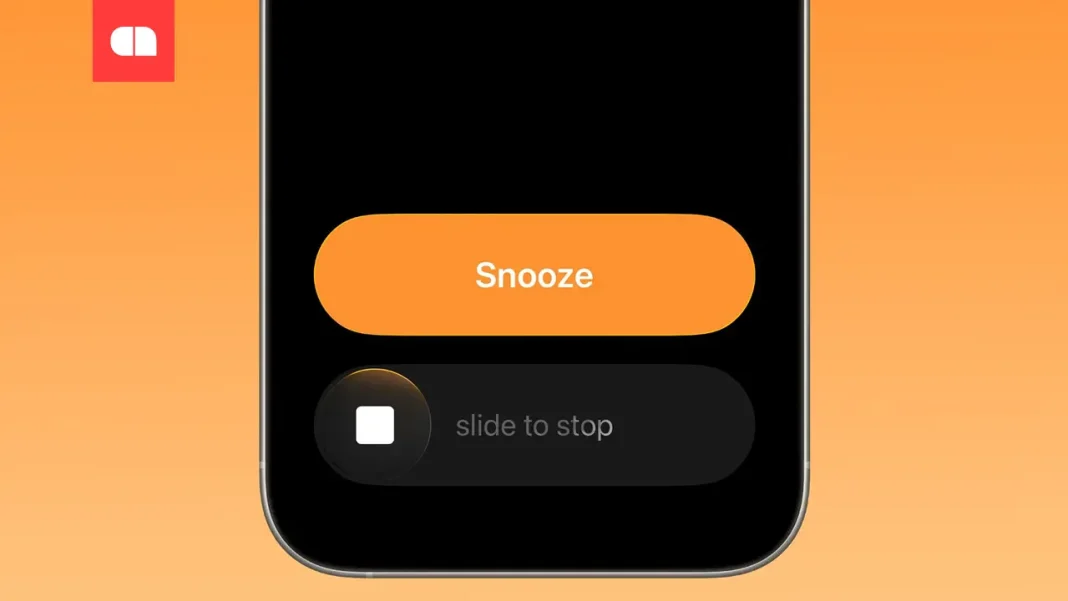
In the new beta version of iOS 26.1, Apple has updated the alarm management system by introducing the Slide to Stop gesture for stopping the alarm signal. Instead of the traditional button press, users now need to swipe the screen to turn off the alarm.
Apple introduced the new Slide to Stop gesture in the second beta version of iOS 26.1, changing the way alarms are turned off. The new system replaces the traditional button press, which often led to unplanned alarm deactivation upon waking. Instead, to stop the signal, a swipe across the screen is required, leaving the Snooze option available with a regular press.
The interface changes are aimed at reducing the likelihood of accidental alarm deactivations, which were a common issue in previous iOS versions. The problem occurred because the Stop and Snooze buttons were identical in size and placement. The new gesture is also used to stop timers, making time management in the iOS system more intuitive.
Apple employees hope this approach will help users wake up on time. Using different gestures allows for automatic separation of stop and snooze functions, ensuring a more conscious approach to daily wake-ups.
| Function | Old Version | New Version |
|---|---|---|
| Alarm Deactivation | Pressing the Stop button | Slide to Stop gesture |
| Snooze Function | Pressing the Snooze button | Pressing the Snooze button |
| Timer Management | Pressing the screen | Slide to Stop gesture |
Also read: Apple plans to create its own AI-powered search engine for Siri, potentially working on the Google Gemini platform.