
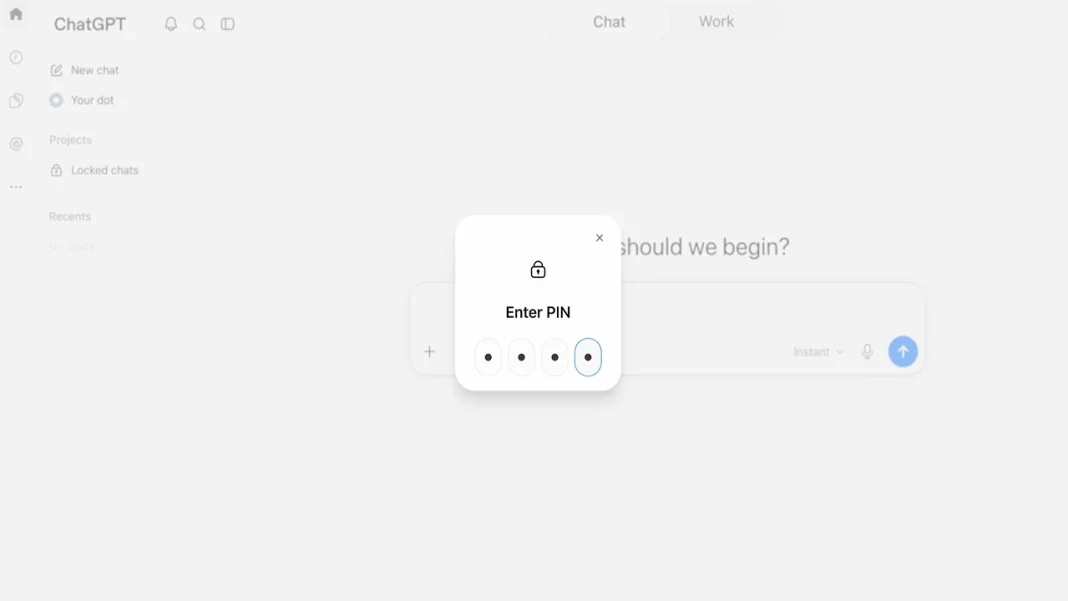

ChatGPT has introduced a Locked Chats feature that allows users to move individual conversations from the regular history and search into a protected section. New messages in such chats will not update ChatGPT’s memory or affect the context of regular open conversations.
The company announced the launch of the feature. Users will be able to move selected conversations to a separate protected space, where they will not appear in the regular chat history or search results.
How Locked Chats Will Work
To access locked chats in the web version and desktop app, users will need to enter a PIN. On mobile devices that support the relevant capabilities, users will be able to use a PIN, Face ID, Touch ID, or the device’s standard unlock method.
Messages sent in a locked chat will not update the model’s global Memory. They will also not affect the context of regular open conversations.
The feature has already begun rolling out. It will be available to users on the free Free and Go plans, as well as the paid Plus, Pro, Business, Enterprise and Edu plans.
Locked Chats are not temporary conversations: users will be able to save a chat, hide it from regular history and search, and return to it later after unlocking it.
Similar Features in Claude and Gemini
Anthropic’s Claude offers Incognito Chats. Such conversations are not saved in Claude’s history or memory and are not used to train models. Once closed, users cannot return to such a chat.
Separately, Claude allows users to disable Memory for a specific regular conversation. In that case, the chat will remain in the history, but Claude will not use it for memory.
Gemini has Temporary Chats. They do not appear among recent conversations or in Gemini Apps Activity, are not used for personalization or model training, and become unavailable to the user after leaving the chat. Google retains such conversations for up to 72 hours for service operation and security.
Earlier, OpenAI also expanded ChatGPT’s capabilities in Google Chrome. In regular Chat mode, the assistant can now use open tabs as context for a response, while in Work mode it can interact with websites.